Cyanová is a color-related term associated with cyan, the bright blue-green shade found between blue and green. The word has connections with Czech and Slovak, where color adjectives change their endings according to the nouns they describe.
If you’ve encountered cyanová while searching for color codes, website design ideas, printing information, or interior decoration, you may have wondered whether it represents a special shade.
The answer is simpler than it might appear. Cyanová is not an independently standardized color. When it refers to pure cyan, its digital color code is #00FFFF, corresponding to RGB (0, 255, 255).
However, people sometimes use the term more loosely to describe other blue-green shades, including colors resembling aqua or turquoise.
Understanding the difference matters when choosing colors for websites, logos, printed materials, or physical products. A small difference in color values can produce a noticeably different result, especially when moving between digital screens and printed surfaces.
What Is Cyanová?
Cyanová is a word connected with cyan, a bright color produced by combining green and blue light.
Its spelling reflects a linguistic connection with Czech and Slovak, where adjectives may use different endings depending on grammatical gender and number.
For example, the Czech phrase “cyanová barva” describes a cyan color. The ending “-ová” agrees with the feminine noun “barva,” meaning color.
This explains why cyanová looks different from the English word cyan, even though both can describe the same hue.
In English, cyan is the standard term used in digital design, printing, photography, and color systems.
Cyanová is not separately listed as a standardized color keyword in CSS or HTML.
Consequently, a designer searching for cyanová will usually need to choose a specific cyan or blue-green value rather than expect software to recognize the word automatically.
Cyanová Color Profile and Quick Facts
Feature
Information
Color-related term
Cyanová
Closest standard English color
Cyan
General appearance
Bright blue-green
Common HEX reference
#00FFFF
RGB value
0, 255, 255
HSL value
180°, 100%, 50%
RGB color model
Equal maximum green and blue, no red
Basic CMYK reference
100%, 0%, 0%, 0%
Related CSS color name
Aqua
Complementary RGB color
Red (#FF0000)
Linguistic connection
Czech and Slovak
Separate standardized color
No
Common applications
Web design, graphics, branding, printing
These numerical values represent pure digital cyan, not every shade someone might describe as cyanová.
The basic CMYK reference also should not be treated as a universal print conversion. The precise printed appearance depends on the printer, ink, paper, and color profile.
Where Does the Word Cyanová Come From?
The term cyanová combines the internationally familiar word cyan with an adjective ending associated with Czech and Slovak grammar.
The English word cyan has an older linguistic history.
It ultimately derives from the Ancient Greek word kyanos, which referred to dark blue coloring or substances associated with blue pigments.
Over time, related terminology entered European languages and scientific discussions of color.
Today, cyan is particularly important in digital imaging and commercial printing.
What Does the Ending “-ová” Mean?
Czech and Slovak are Slavic languages with grammatical gender.
Adjectives often change form depending on whether the noun they describe is masculine, feminine, or neuter.
The ending “-ová” is associated with certain feminine adjective forms.
This is why a phrase describing a cyan-colored object may contain the word cyanová.
The ending does not indicate a new shade, unusual pigment, or special visual effect.
It primarily reflects how the word functions grammatically.
Is Cyanová an Official English Color Name?
No. Cyanová is not a standard named color in CSS, HTML, or internationally recognized digital color terminology.
The standard English name is cyan.
A person can use cyanová creatively as a name for a color palette or design concept, but that does not give it an official numerical definition.
For technical accuracy, designers should specify the exact color code they intend to use.
What Does Cyanová Look Like?
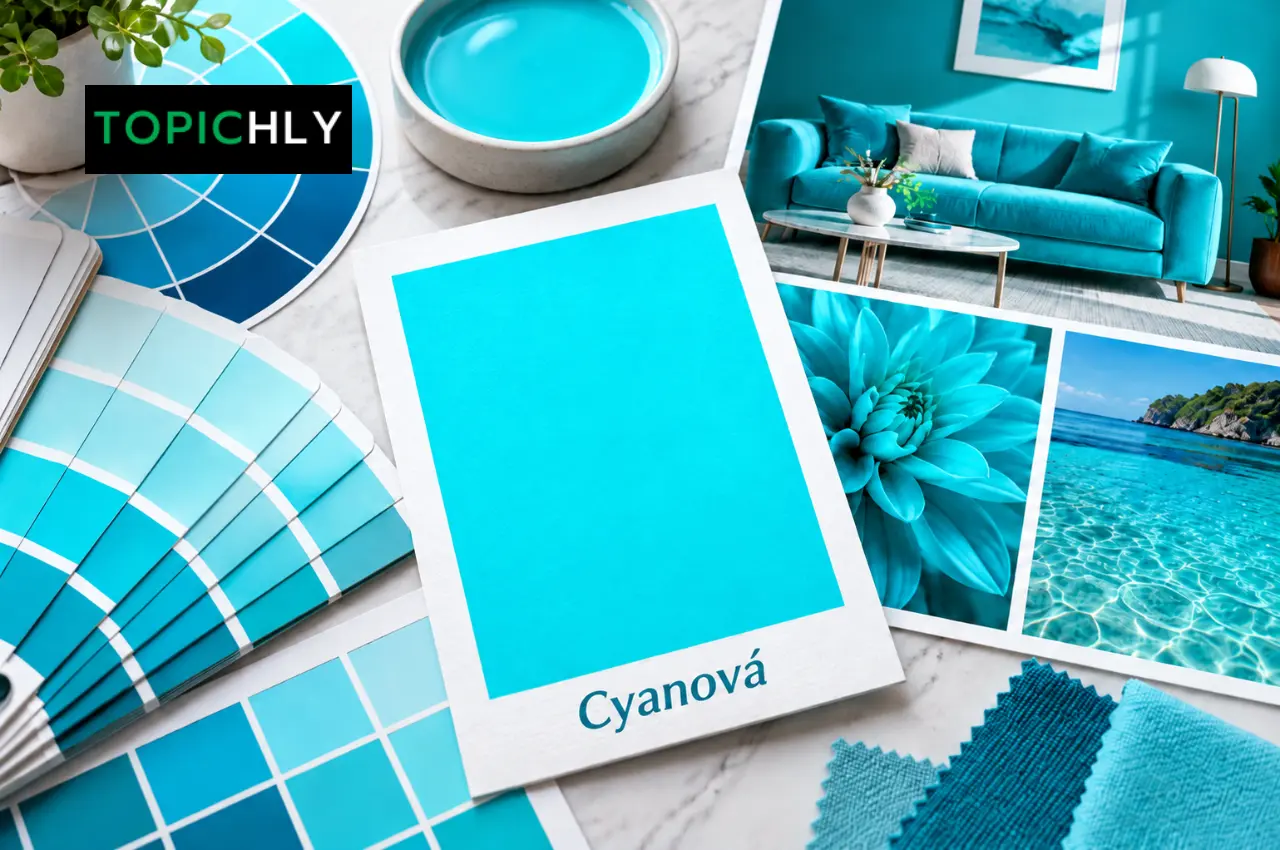
When cyanová refers to pure cyan, it appears as a vivid blue-green color.
On a screen, the shade can look bright, clean, and almost luminous.
This appearance comes from the way electronic displays combine colored light.
Pure cyan contains full green and blue light with no red component.
It is brighter than the dark blue-green commonly called teal and typically more intense than muted turquoise shades.
However, color appearance is influenced by context.
The same cyan can look especially vivid against a black background but much softer when surrounded by white or other light colors.
Display brightness, calibration, surrounding colors, and viewing conditions can also influence how people perceive it.
Cyanová HEX Code: Understanding #00FFFF
The most common HEX value associated with pure cyan is #00FFFF.
HEX codes are widely used in website design and digital graphics.
They represent colors using pairs of hexadecimal digits corresponding to red, green, and blue.
For #00FFFF, the components are:
Component
HEX value
Decimal value
Red
00
0
Green
FF
255
Blue
FF
255
The number 255 represents the maximum value for a channel in conventional 8-bit RGB color.
Therefore, the formula describes a color containing no red light and maximum green and blue light.
How to Use Cyanová in CSS
Website designers can reproduce pure cyan using a HEX value, RGB function, or named color.
For example:
.accent {
background-color: #00FFFF;
}
.highlight {
color: rgb(0, 255, 255);
}
.border {
border-color: cyan;
}
All three examples refer to the same digital color.
The CSS keyword aqua also represents #00FFFF.
However, cyanová is not a recognized standard CSS color keyword.
Writing color: cyanová; will not work as a normal named-color value.
Use the HEX code, RGB value, or standard CSS keyword instead.
Cyanová in RGB and Digital Displays
RGB stands for Red, Green, and Blue.
Digital screens combine light from these three channels to produce different colors.
Each channel is commonly represented by a number between 0 and 255 in an 8-bit RGB system.
Pure cyan uses:
Red: 0
Green: 255
Blue: 255
Combining green and blue light at full intensity produces the familiar bright cyan appearance.
This method is called additive color mixing because additional light increases the overall brightness.
For example, combining maximum red, green, and blue produces white in the RGB model.
When all three channels are set to zero, the result is black.
Why Cyan May Look Different on Two Screens
A HEX code describes numerical color values, but it does not guarantee that every display produces an identical visual result.
An older monitor may reproduce colors differently from a modern OLED smartphone.
Other factors include screen brightness, color management, night display modes, and calibration.
For professional design work, it is useful to test important colors on multiple devices and use appropriate color profiles.
Cyanová in CMYK Printing
CMYK stands for Cyan, Magenta, Yellow, and Key, which represents black.
Unlike digital displays, printers generally reproduce colors by placing ink or toner onto a physical surface.
The surface reflects light rather than producing it.
Cyan is one of the four standard process colors used in commercial CMYK printing.
A basic process-cyan reference is:
Ink channel
Percentage
Cyan
100%
Magenta
0%
Yellow
0%
Black
0%
This represents full process cyan ink without additional magenta, yellow, or black.
However, it should not be treated as a guaranteed visual match for RGB #00FFFF.
Why Printed Cyan Looks Different
Pure digital cyan can be exceptionally bright on a monitor.
A printer cannot necessarily reproduce that same appearance using ordinary CMYK inks.
The result depends on several factors, including the printing process, ink formulation, paper, color profile, and lighting conditions.
For example, cyan printed on glossy white paper may appear different from the same ink printed on uncoated cardboard.
The color may also change when printed on fabric or transparent packaging.
This is why professional print projects often require a physical proof.
A proof allows the designer and printer to inspect the actual color before producing the full order.
Cyanová vs. Cyan, Aqua, Turquoise and Teal
Several blue-green color names are often used interchangeably in casual conversation.
However, they do not always refer to identical colors.
Color
HEX Code
Cyan / Aqua
#00FFFF
Turquoise
#40E0D0
Teal
#008080
Dark Turquoise
#00CED1
Cyanová vs. Cyan
When cyanová describes pure cyan, the distinction is linguistic rather than visual.
Cyan is the standard English color term, while cyanová is associated with Czech and Slovak usage.
There is no separately standardized cyanová shade.
Cyan vs. Aqua
In CSS and HTML color terminology, cyan and aqua are identical.
Both correspond to #00FFFF.
In everyday language, however, aqua may describe a broader range of water-inspired blue-green colors.
That difference in casual usage is one reason exact codes are important.
Cyan vs. Turquoise
Turquoise is commonly associated with a slightly softer or greener blue-green appearance.
The standard CSS color turquoise uses #40E0D0.
Turquoise can also refer more broadly to shades inspired by the gemstone of the same name.
Pure cyan is generally brighter and more saturated.
Cyan vs. Teal
Teal is substantially darker than pure cyan.
The standard CSS teal value is #008080.
Its lower brightness makes it suitable for deeper backgrounds, headings, and visual elements where bright cyan would be overpowering.
Pure cyan often works better as an accent than as the main background of a text-heavy page.
Where Is Cyanová Used in Design?
Cyan and related blue-green shades have many practical applications.
They appear in digital interfaces, branding, clothing, home interiors, artwork, and printed materials.
The exact shade should be chosen according to its purpose.
Website and App Design
Bright cyan can attract attention to visual elements.
For example, a dark-themed application might use cyan for icons, selected navigation items, or decorative highlights.
It can also work in charts where strong contrast between categories is useful.
However, bright cyan is not automatically a suitable button or text color.
Contrast with surrounding elements must be evaluated carefully.
For example, white text on a pure cyan background has poor contrast and can be difficult to read.
Dark text generally provides much better readability on that background.
Branding and Logos
Cyan can communicate a modern visual identity, especially when paired with simple typography and restrained design.
Technology businesses sometimes use blue-green palettes for software products, dashboards, or corporate websites.
But color meanings are not universal.
Whether cyan suggests innovation, cleanliness, freshness, or something else depends on the brand, audience, and visual context.
A company should therefore choose it because it supports the overall design rather than assuming the color will create a particular emotional response.
Fashion and Clothing
Cyan and turquoise-inspired shades can add color to clothing and accessories.
A bright cyan shirt may stand out when combined with neutral colors such as charcoal, navy, or white.
Softer blue-green variations can create a more restrained appearance.
Fabric texture, dye, and lighting affect how the same color appears on different materials.
A digital color sample is therefore only an approximate guide when choosing physical clothing.
Interior Design
Blue-green colors can be used for painted walls, upholstery, decorations, and home accessories.
Pure cyan is exceptionally bright, so it may be more practical as an accent than as the dominant color across a large room.
A darker teal or muted turquoise may create a more subdued result.
Someone who likes cyan but does not want an intensely bright interior could use it in cushions, artwork, ceramics, or smaller decorative objects.
Color Combinations That Work With Cyanová
The following palettes illustrate how pure cyan can be combined with contrasting or supporting shades.
Cyan and Navy
Navy provides a darker background that makes cyan appear especially vivid.
This pairing can work for technology-themed graphics, applications, and presentations.
Cyan and White
Cyan and white create a bright visual combination.
However, designers should avoid relying on white text placed directly over pure cyan, since the contrast is insufficient for comfortable reading.
Cyan and Coral
Warm coral or reddish tones create a strong contrast with cyan.
This combination can be useful when designing illustrations or promotional graphics that need a lively appearance.
Cyan and Gray
Gray can balance cyan’s intensity.
Light grays provide neutral surfaces, while charcoal creates stronger contrast and gives cyan accents more prominence.
How to Choose the Right Cyanová Shade
Not every project benefits from using the brightest possible cyan.
Sometimes a darker or less saturated variation works better.
Design goal
Possible color
HEX
Bright digital accent
Cyan
#00FFFF
Softer tropical appearance
Turquoise
#40E0D0
Dark professional accent
Teal
#008080
Deeper saturated cyan
Dark Cyan
#008B8B
Vivid blue-green
Dark Turquoise
#00CED1
Light background
Light Cyan
#E0FFFF
These are established named CSS colors, not officially recognized subtypes of cyanová.
The most suitable choice depends on the design’s background, typography, intended audience, and medium.
A Simple Way to Test a Color
Begin by choosing the exact HEX code rather than relying only on the name.
Then place the color in a realistic design.
A cyan button may look attractive by itself but less effective on a pale blue background.
Similarly, a vivid cyan heading might work against dark navy while becoming difficult to distinguish on a light turquoise background.
Check readability, contrast, and overall balance before making the color a permanent part of the design.
Common Mistakes When Using Cyanová
Several avoidable mistakes can affect projects using cyan or related shades.
One is assuming that cyanová refers to a unique official color.
It does not have an independently defined international color code.
Another is assuming that #00FFFF on a screen will look identical when printed using 100% cyan ink.
The two color systems operate differently, and conversion depends on printing conditions.
A third mistake is ignoring accessibility.
Bright colors can look attractive but still create difficult reading conditions when combined with unsuitable text colors.
Finally, designers sometimes rely on color names alone when communicating with printers or collaborators.
One person may imagine vivid cyan, while another expects a softer turquoise shade.
Providing exact color specifications reduces this confusion.
Frequently Asked Questions
What does cyanová mean?
Cyanová is a color-related word associated with cyan. Its spelling reflects Czech and Slovak adjective forms, and it commonly describes something that is cyan-colored.
What is the HEX code for cyanová?
When cyanová refers to pure cyan, the HEX code is #00FFFF. The word itself is not a separate standardized color, so other blue-green shades may also be described with it informally.
What is the RGB value of cyanová?
Pure cyan has an RGB value of 0, 255, 255. This means no red light and maximum green and blue light.
What is the CMYK code for cyanová?
A basic process-cyan reference is C: 100%, M: 0%, Y: 0%, K: 0%. However, this is not a guaranteed visual match for digital #00FFFF. Accurate printing requires appropriate color profiles.
Is cyanová the same as turquoise?
Not necessarily. Cyanová generally refers to cyan, while turquoise is usually a different blue-green shade. Standard CSS turquoise is #40E0D0.
Is cyanová the same as aqua?
When used to mean pure cyan, yes. The CSS keywords cyan and aqua both represent #00FFFF.
Is cyanová a Czech word?
The term has a Czech and Slovak grammatical connection. Its “-ová” ending corresponds to certain feminine adjective forms used in those languages.
Can I use cyanová in website CSS?
Not as a standard named CSS color. Use cyan, aqua, #00FFFF, or rgb(0, 255, 255) instead.
Is cyanová suitable for logos?
Cyan or related blue-green shades can work well in logos, especially when balanced with suitable typography and contrasting colors. The best choice depends on the brand’s visual identity.
Why does cyanová look different when printed?
Digital screens produce color using light, while printers use inks or pigments. Different color profiles, paper types, and printing conditions affect how cyan appears.
Final Thoughts on Cyanová
Cyanová is best understood as a color-related expression connected with cyan rather than a newly recognized color with its own technical standard.
Its linguistic connection with Czech and Slovak explains its distinctive spelling, while the underlying color is familiar to anyone who works with digital graphics, printing, or web design.
When the term refers to pure cyan, the standard values are HEX #00FFFF and RGB (0, 255, 255).
However, these digital values should not be confused with an exact printed appearance, and they do not mean every blue-green shade called cyanová must look identical.
The practical lesson is straightforward: color names are useful for describing an appearance, but numerical color values are better when precision matters.
Whether you’re designing a website, preparing printed packaging, choosing a brand palette, or decorating a room, identifying the exact cyan or blue-green shade will produce more consistent results than relying on the name alone.














Comments are off for this post.